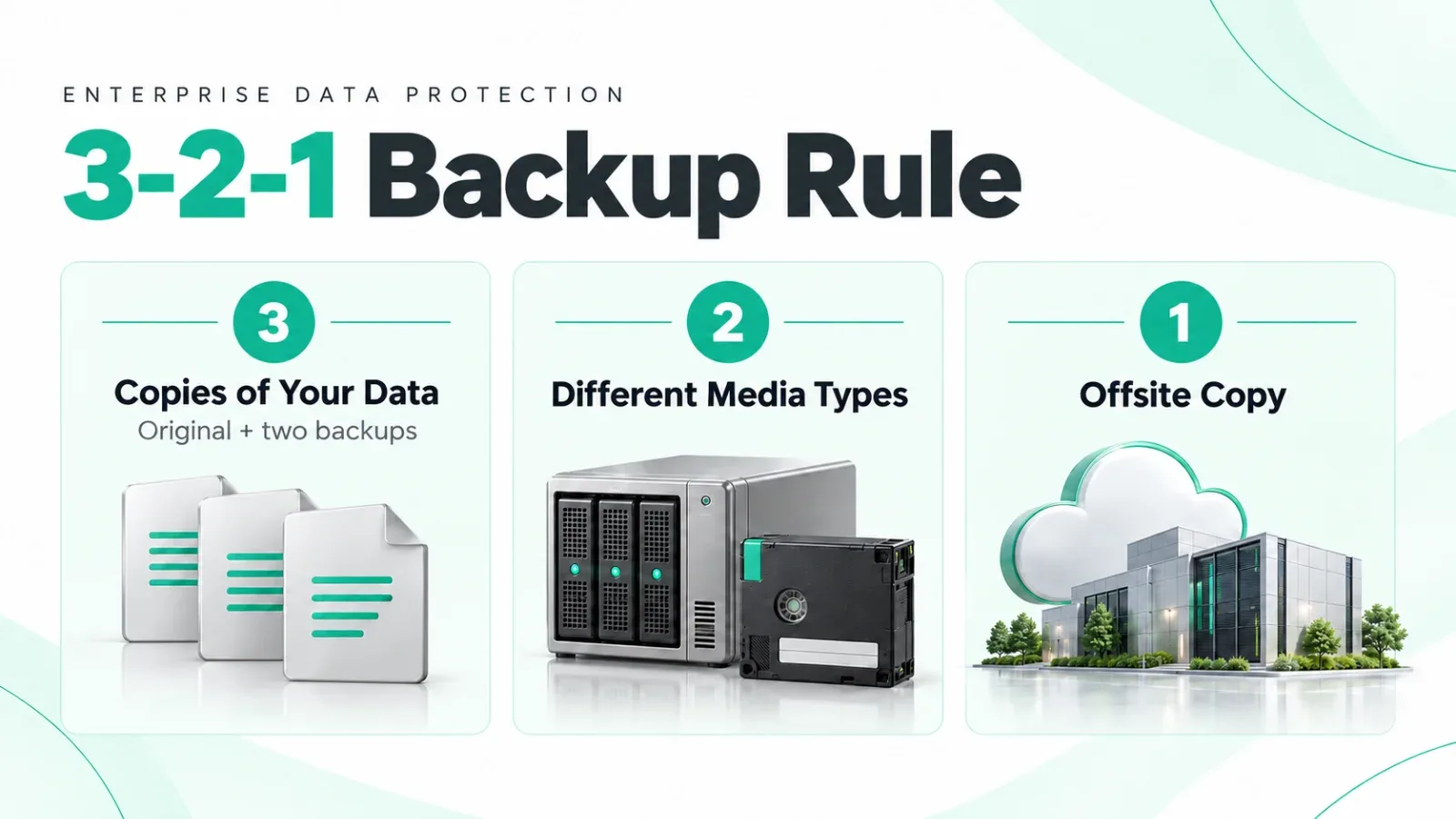
Key points
- Backup creates recoverable copies of important business data.
- Veeam provides tools to back up and restore supported systems and workloads.
- Configured immutable storage helps protect backup files during a defined period.
- SureBackup can verify recoverability through configured tests and schedules.
- Recovery speed depends on backup quality, infrastructure, and a tested recovery plan.
In this article
- First Things First: What Is Backup?
- So What Is Veeam?
- Why Regular Backup Often Fails (In Simple Words)
- What Makes Veeam Different? (No Tech Talk)
- What Does Veeam Protect?
- Veeam vs “Normal Backup” (Easy Comparison)
- Why Non-IT People Should Care
- A Simple Real-Life Example
- What Veeam Is NOT
- The One-Line Summary
- Final Thoughts
You don’t need to be an IT expert to understand why backup matters, or why many businesses still lose data even though they say “we have backup.”
This guide explains Veeam Backup in plain, non-technical language, so business owners, managers, and decision-makers can clearly understand what it does, why it’s different, and why it matters.
First Things First: What Is Backup?
Backup simply means:
Keeping a safe copy of your important business data so you can get it back if something goes wrong.
“Something going wrong” includes:
- Ransomware attacks
- Accidental deletion
- System crashes
- Hardware failure
- Power or fire incidents
Without backup, lost data is often gone forever.
So What Is Veeam?
Veeam is a professional backup and recovery system used by businesses worldwide to protect their data and quickly restore operations.
But here’s the key difference:
Veeam is not just about saving data. It’s about getting your business back up and running fast.
Why Regular Backup Often Fails (In Simple Words)
Many businesses already “have backup,” but still fail during emergencies because:
- Backups get deleted by ransomware
- Restoring data takes days
- Backups were never tested
- The backup itself is damaged
So the problem isn’t having backup.
The problem is backup that doesn’t work when needed.
What Makes Veeam Different? (No Tech Talk)
1. Veeam Is Built for Recovery, Not Just Storage
Think of it like this:
- Traditional backup = storing boxes in a warehouse
- Veeam = storing boxes and knowing exactly how to retrieve them quickly
Veeam is designed to:
- Restore full systems fast
- Bring key services back online quickly
- Reduce business downtime
2. Protection Against Ransomware
Ransomware tries to:
- Lock your files
- Delete your backups
- Force you to pay money
Veeam supports immutable backups, which means:
- Backup copies cannot be changed or deleted
- Even hackers or admins can’t remove them
- Clean data always stays safe
This is why companies with Veeam are far less likely to pay ransom.
3. Veeam Checks That Backups Actually Work
Many backups look fine… until restore fails.
Veeam automatically:
- Tests backups
- Verifies data can be restored
- Detects problems early
So instead of hoping backups work, you know they do.
4. Faster Recovery = Less Business Loss
When systems go down:
- Employees stop working
- Sales stop
- Customers get frustrated
Veeam helps businesses:
- Restore systems in minutes instead of days
- Reduce downtime stress
- Resume operations faster
Less downtime = less financial loss.
What Does Veeam Protect?
In simple terms, Veeam can protect:
- Business servers
- Virtual machines (VMs)
- Databases
- File servers
- Office systems
- Cloud and on-prem environments
If your business relies on digital data (which almost all do), Veeam can protect it.
Veeam vs “Normal Backup” (Easy Comparison)
Saves Data
- Normal Backup: Yes
- Veeam: Yes
Restores Data Fast
- Normal Backup: Sometimes
- Veeam: Yes
Protects from Ransomware
- Normal Backup: Weak
- Veeam: Strong
Verifies Backups
- Normal Backup: No
- Veeam: Yes
Reduces Downtime
- Normal Backup: Limited
- Veeam: High
Business-Focused
- Normal Backup: No
- Veeam: Yes
Why Non-IT People Should Care
Backup is not an IT issue.
It’s a business survival issue.
Without reliable backup:
- You may lose customer data
- You may lose financial records
- You may stop operating for days
- You may be forced to pay ransom
Veeam reduces these risks dramatically.
A Simple Real-Life Example
Imagine:
- Your main business system gets hit by ransomware
- All files are locked
- Hackers demand money
With weak backup:
- You panic
- You negotiate
- You lose time and trust
With Veeam:
- You restore clean data
- Systems come back online
- Business continues
- No ransom paid
That’s the difference.
What Veeam Is NOT
To be clear:
- It does not stop hackers from attacking
- It does not replace security tools
What it does is guarantee recovery when attacks succeed.
The One-Line Summary
If you remember only one thing, remember this:
Veeam doesn’t just back up data. It protects your ability to keep doing business.
Final Thoughts
Technology failures are inevitable.
Ransomware attacks are increasing.
Human mistakes will happen.
The question is not:
“Will something go wrong?”
The real question is:
“How fast and how confidently can we recover?”
That’s why businesses use Veeam.
Backup is about copies.
Veeam is about continuity.
- #Veeam Backup
- #backup and recovery
- #data protection
- #immutable backups
- #recovery testing
- #ransomware recovery
- #business continuity
- #backup planning
Need help with this in your own setup?
Talk to a Servicing24 engineer. We’ll give you a plan and a clear price.