Key points
- Keep three copies of your data: one production copy and two backup copies.
- Use two different storage types to reduce shared failure risks.
- Keep at least one copy offsite to protect against site-wide incidents.
- Strengthen backup protection with immutability, air-gapping, or offline storage.
- Test restores regularly to confirm that your backups can be recovered.
In this article
- The Simple Backup Principle That Still Saves Businesses
- What the 3-2-1 Backup Rule Really Means
- Why the 3-2-1 Rule Exists in the First Place
- Step One: Three Copies of Data (And Why One Backup Is Not Enough)
- Step Two: Two Different Storage Types (Avoiding Common Failure Domains)
- Step Three: One Copy Offsite or Offline (The Most Ignored Step)
- A Simple Real-World Scenario
- Why Many Businesses Think They Follow 3-2-1 (But Don’t)
- 3-2-1 in the Age of Ransomware
- Is the 3-2-1 Rule Still Relevant in Cloud Environments?
- When 3-2-1 Alone Is Not Enough
- How to Start Applying 3-2-1 Practically
- Final Thoughts
The Simple Backup Principle That Still Saves Businesses
In the world of IT and data protection, tools and technologies change constantly—hardware evolves, virtualization matures, ransomware grows smarter, and cloud adoption accelerates. Yet one backup principle has survived every major shift without losing relevance: the 3-2-1 backup rule.
It is simple, practical, and proven in real disasters. Ironically, many organizations either misunderstand it or believe they follow it—until a real incident proves otherwise.
This article explains what the 3-2-1 backup rule truly means, why it exists, and how to apply it correctly in modern IT environments.
What the 3-2-1 Backup Rule Really Means
At its core, the 3-2-1 rule is not about any specific product, vendor, or technology. It is about reducing risk through separation.
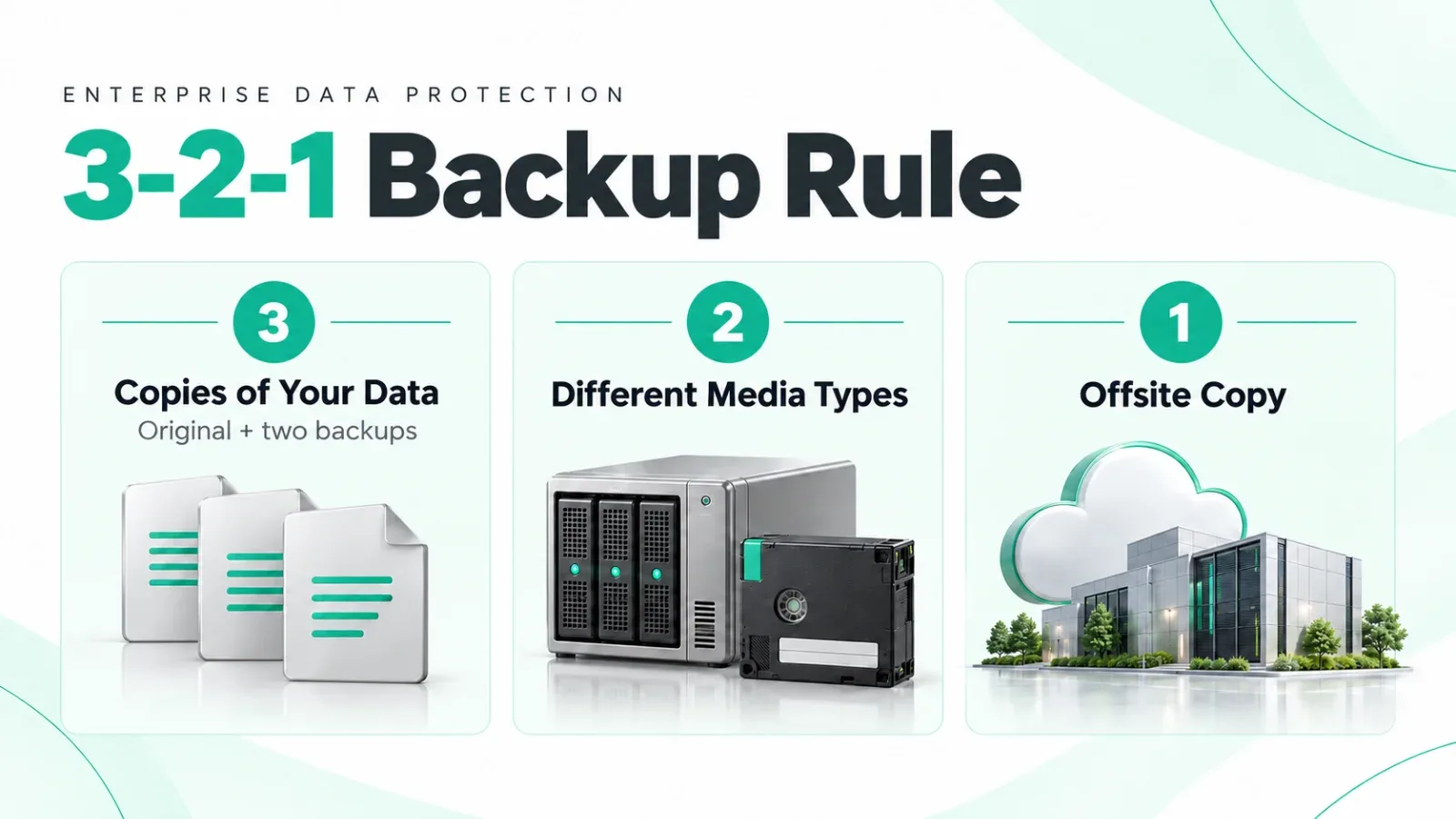
The rule states that you should always maintain three copies of your data, store those copies on two different types of storage, and ensure that at least one copy is kept offsite or offline.
That’s all—but each part exists for a very specific reason.
Why the 3-2-1 Rule Exists in the First Place
Most data loss does not happen because of a single failure. It happens when multiple things fail at the same time.
A user deletes critical data. A disk fails during rebuild. Ransomware encrypts both production and backup.
A fire, flood, or power incident affects an entire site.
The 3-2-1 rule assumes that failure is inevitable. Instead of trying to prevent every failure, it ensures that failures don’t happen everywhere at once.
Step One: Three Copies of Data (And Why One Backup Is Not Enough)
Many businesses believe that having “a backup” is enough. In reality, a single backup is still a single point of failure.
The three copies in the 3-2-1 rule usually mean:
- The original production data
- A first backup copy
- A second backup copy stored separately
Why is a second backup necessary? Because backups themselves can fail. Backup jobs can silently fail, backup files can become corrupted, or backups can be deleted or encrypted—especially during ransomware attacks.
If you only have one backup and that backup fails, you are back to zero.
Step Two: Two Different Storage Types (Avoiding Common Failure Domains)
Storing multiple copies on the same type of storage creates hidden risk. When production and backup rely on similar systems, a single flaw can affect everything.
For example, running production on a SAN and keeping backups on the same SAN—or backing up a server onto its own local disks—creates a shared failure domain. Firmware bugs, controller failures, misconfigurations, or malware can impact all copies simultaneously.
Using different storage technologies reduces the chance that one failure wipes out everything. This separation can be achieved through combinations such as disk and backup appliances, primary SAN and object storage, or local storage paired with offline media.
The goal is not complexity—it is diversity.
Step Three: One Copy Offsite or Offline (The Most Ignored Step)
This is the most critical part of the rule—and the one most commonly skipped.
An offsite or offline copy protects against events that affect the entire location: fire, flood, theft, ransomware, or total site outage. Offsite does not automatically mean cloud; it simply means that the data is physically or logically separated from the primary environment.
An offsite copy could live in another data center, secure cloud object storage, or even offline media that is not continuously connected. If all copies live in the same site, a site-level incident can erase everything at once.
A Simple Real-World Scenario
Imagine an organization running a file server.
The live data resides on primary storage. A nightly backup is stored on a local backup server. A third encrypted copy is synced to offsite storage.
If ransomware strikes, the production system is compromised immediately. The local backup may also be at risk. But the offsite copy—isolated and protected—remains intact.
That single surviving copy is what saves the business. That is the 3-2-1 rule working exactly as intended.
Why Many Businesses Think They Follow 3-2-1 (But Don’t)
Many environments look safe on paper but fail during real incidents. Common mistakes include counting snapshots as backups, treating replication as a backup strategy, or storing all backups on the same storage system.
Another frequent issue is keeping offsite backups permanently connected. When ransomware spreads, it targets online backups first. A connected backup is not the same as a protected backup.
These designs appear robust but collapse under real-world stress.
3-2-1 in the Age of Ransomware
Modern ransomware is designed to attack not just production data, but also backups, snapshots, and replication chains. That is why many organizations now enhance 3-2-1 implementations with immutability, air-gapping, or offline copies.
The rule itself has not changed. The threat landscape has.
Is the 3-2-1 Rule Still Relevant in Cloud Environments?
More than ever.
Cloud platforms experience accidental deletions, account compromises, and synchronization errors. Cloud services do not eliminate the need for backups—they still require structured backup strategies.
Cloud data still needs multiple copies, stored on different systems, with at least one copy isolated from day-to-day access.
When 3-2-1 Alone Is Not Enough
For highly critical systems, organizations may extend the model by adding immutable backups, verified restore testing, or multiple offsite locations. Variations such as 3-2-1-1-0 build on the same foundation.
No matter how advanced the strategy becomes, 3-2-1 remains the base layer.
How to Start Applying 3-2-1 Practically
Implementing 3-2-1 does not require perfection from day one. It requires intent and structure.
Start by identifying your most critical data, ensuring at least one offsite copy exists, using different storage systems for backup and production, and—most importantly—testing restores regularly.
Backups that are never tested are assumptions, not protection.
Final Thoughts
The power of the 3-2-1 backup rule lies in its simplicity. It does not depend on expensive hardware, complex software, or vendor promises. It depends on separation, redundancy, and realism.
Most organizations that lose data did not lack tools—they lacked structure.
The real question is not “Do we have backups?” The real question is: If everything fails at once, do we still have one clean copy left?
If the answer is yes, the 3-2-1 rule is doing its job.
- #3-2-1 backup rule
- #data backup
- #data protection
- #offsite backup
- #ransomware protection
- #disaster recovery
- #cloud backup
- #restore testing
Need help with this in your own setup?
Talk to a Servicing24 engineer. We’ll give you a plan and a clear price.