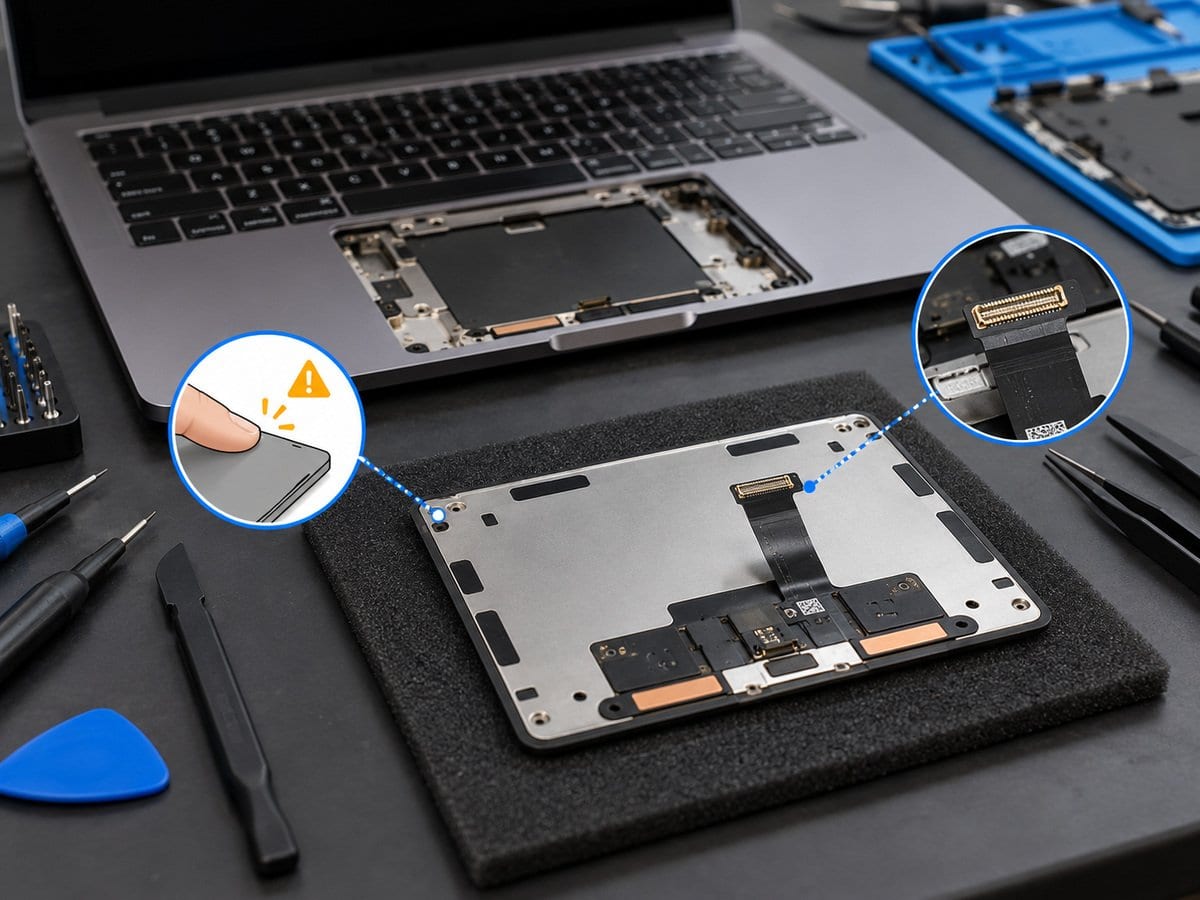
MacBook Trackpad, Click & Gesture Service
by SafeTech
Assess MacBook trackpad settings, power state, cables and physical condition before replacing parts.
- Enterprise IT Support
- Certified Engineers
- On-site / Lab Service
- Service Tracking
- Starts from
- ৳1,000
- Service options
- Lab Service
- Service area
- Dhaka
- Turnaround
- 2–7 business days after approval and parts confirmation, estimated
Service Provider

About This Service
A trackpad that does not click, moves erratically or misses gestures needs the exact model and power state considered first. Trackpad designs differ, and a powered-off Force Touch trackpad is not assessed as if its normal powered haptic behaviour should still be present. We review relevant settings and compare the affected input functions before opening the machine where appropriate. A raised or stiff trackpad can be associated with battery deformation, so the battery and enclosure are checked before pressure or adjustment is applied. Cable, connector, trackpad assembly and related keyboard symptoms are considered separately. A software correction is the only numeric starting scope; physical repair or replacement needs a model-specific quote. After approved work, the relevant pointer, click and gesture functions are tested. Touch ID failure is not automatically treated as a trackpad fault.
Before work starts, the exact model/year and processor family, agreed scope, labour, parts condition and any required repair-completion steps are confirmed in a written quotation. Repair or replacement proceeds after customer approval. Important files should be backed up where possible; erasure, recovery and file transfer require explicit agreed scopes. Owner account actions are handled privately by the customer, not through a public booking form. Completion depends on fault complexity and parts availability. Send the model/year or model identifier, symptoms and a clear error photo to request an assessment.
Service workflow
1. Record exact model, powered behaviour, settings and physical deformation
2. Inspect battery/enclosure and relevant input connections if justified
3. Complete approved settings work or quote hardware; retest gestures/click
Frequently asked questions
Q: Should a raised trackpad simply be pressed back down?
A: No. Check for battery swelling and enclosure damage first; do not force the surface flat.
Q: How is the final cost confirmed?
A: The exact model, findings, parts, labour and applicable warranty are itemised in a written quotation before repair approval.
Q: How do I book this service?
A: Send the MacBook model/year, model identifier and processor family, symptoms, recent repair history and a photo or video of the error. Device acceptance and timing are confirmed by the service team.
Delivery and coverage
Lab Service. Dhaka; other locations and collection options subject to confirmation.
- Experienced Engineers
- Genuine & Compatible Spare Parts
- Repair Warranty on Eligible Parts
- Enterprise & Data Center Support Experience
Frequently Asked Questions
What's Included
Get a detailed report after the service.
- Basic supported settings/gesture checks on one Mac
- no disassembly or replacement.
How It Works
Get your device serviced in simple steps
- 1Book ServiceTell us the issue
- 2Engineer DiagnosisOn-site or in our lab
- 3Get QuotationAfter assessment
- 4Approve & RepairWe fix the issue
- 5Track & ReceiveReal-time updates
On-Site Service
Our engineer visits your location to diagnose and repair your device.
Servicing24 Lab
Send or bring your device to our lab for advanced diagnosis and repair.
Supported Brands
- Dell
- HP
- HPE
- Lenovo
- Asus
- Acer
- Other Brands
From ৳ 1,000