MacBook Firmware Revive & Restore Service
by SafeTech
Assess firmware recovery for eligible Apple silicon or T2 MacBooks, with Revive and data-erasing Restore kept separate.
- Enterprise IT Support
- Certified Engineers
- On-site / Lab Service
- Service Tracking
- Starts from
- ৳2,500
- Service options
- Lab Service
- Service area
- Dhaka
- Turnaround
- 1–3 business days after prerequisites, estimated
Service Provider

About This Service
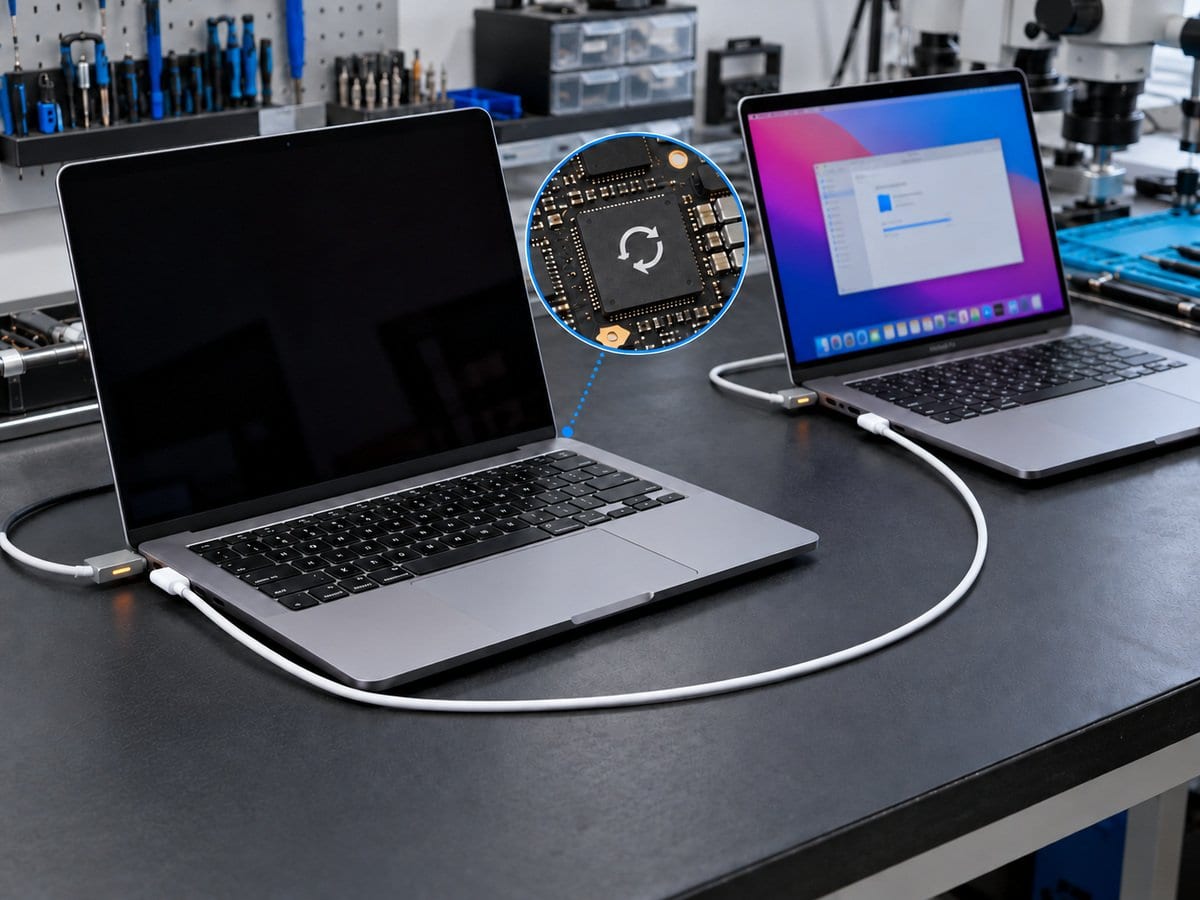
Firmware recovery is considered only when the Mac model and symptoms support that route. Apple silicon and T2 MacBooks can require a compatible host Mac, appropriate cable, correct port and the current supported procedure. This is not the same as applying a generic PC BIOS image. A Revive is considered before a Restore where appropriate because Revive does not erase the Mac, while Restore erases it. The customer’s file priority and account-readiness requirements are discussed before either job is accepted. The numeric package covers an eligible revive attempt and verification, not guaranteed resolution of a hardware fault. Restore needs explicit erase approval and a separate scope. Activation Lock or organization management can still affect later setup, and this service does not remove those ownership controls. Failed storage, board faults or unsupported older Intel hardware follow a different assessment route.
Before work starts, the exact model/year and processor family, agreed scope, labour, parts condition and any required repair-completion steps are confirmed in a written quotation. Repair or replacement proceeds after customer approval. Important files should be backed up where possible; erasure, recovery and file transfer require explicit agreed scopes. Owner account actions are handled privately by the customer, not through a public booking form. Completion depends on fault complexity and parts availability. Send the model/year or model identifier, symptoms and a clear error photo to request an assessment.
Service workflow
1. Confirm Apple silicon/T2 eligibility, symptom and current host/cable/port requirements
2. Agree Revive attempt and data priority before proceeding
3. Obtain separate erase approval before Restore and verify agreed startup
Frequently asked questions
Q: Do Revive and Restore have the same data impact?
A: No. Revive does not erase the Mac; Restore does. A Restore must be separately approved after discussing files and account readiness.
Q: How is the final cost confirmed?
A: The exact model, findings, parts, labour and applicable warranty are itemised in a written quotation before repair approval.
Q: How do I book this service?
A: Send the MacBook model/year, model identifier and processor family, symptoms, recent repair history and a photo or video of the error. Device acceptance and timing are confirmed by the service team.
Delivery and coverage
Lab Service. Dhaka; other locations and collection options subject to confirmation.
- Experienced Engineers
- Genuine & Compatible Spare Parts
- Repair Warranty on Eligible Parts
- Enterprise & Data Center Support Experience
Frequently Asked Questions
What's Included
Get a detailed report after the service.
- Supported revive attempt and startup verification
- hardware repair and successful recovery not guaranteed.
How It Works
Get your device serviced in simple steps
- 1Book ServiceTell us the issue
- 2Engineer DiagnosisOn-site or in our lab
- 3Get QuotationAfter assessment
- 4Approve & RepairWe fix the issue
- 5Track & ReceiveReal-time updates
On-Site Service
Our engineer visits your location to diagnose and repair your device.
Servicing24 Lab
Send or bring your device to our lab for advanced diagnosis and repair.
Supported Brands
- Dell
- HP
- HPE
- Lenovo
- Asus
- Acer
- Other Brands
From ৳ 2,500